
How Text Generators Actually Work (The Magic Behind the Scenes)
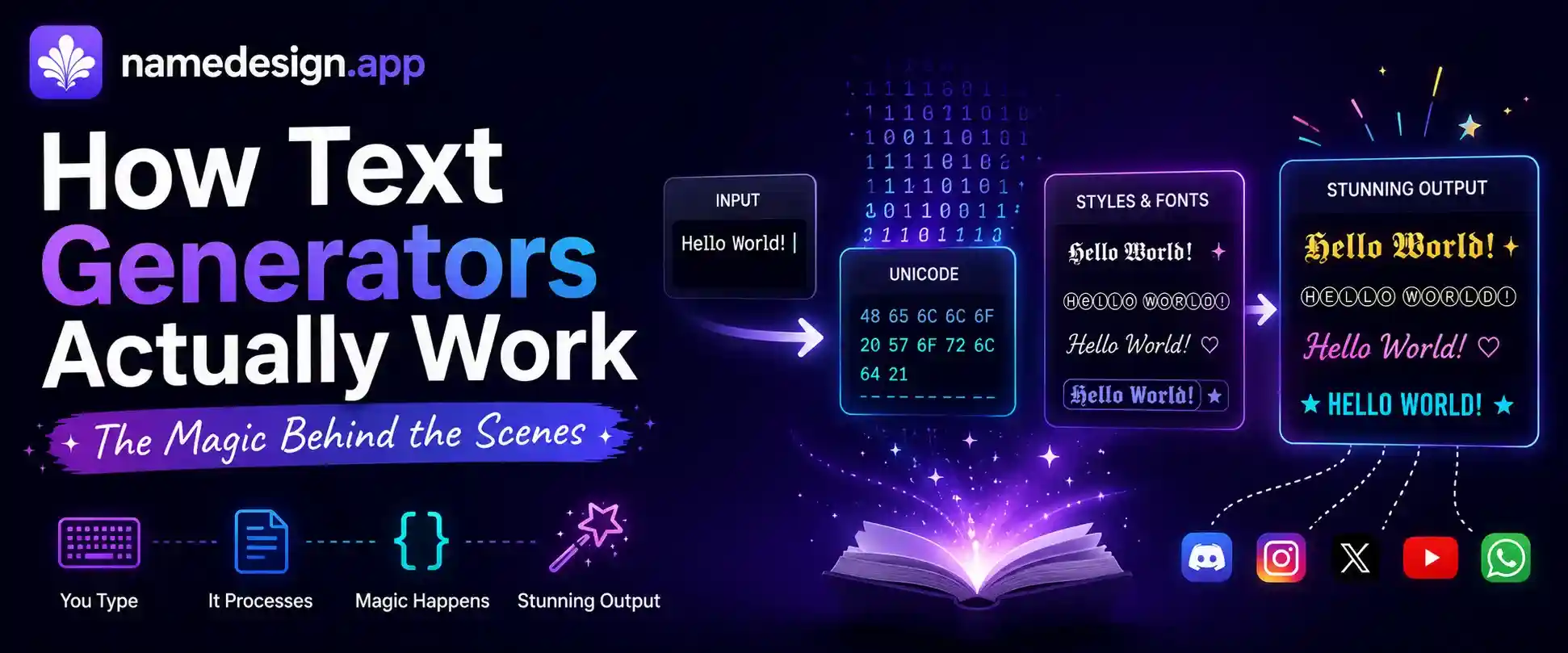
Table of Contents
Every day, millions of people search for ways to make their digital profiles stand out. They type a simple word into a website, click a button, and immediately get dozens of beautiful, customized text options back. From elegant cursive scripts to bold gothic lettering, the transformation is instant.
You probably use these tools to update your Instagram bio, create an intimidating gaming tag, or drop a funny glitched message in a Discord chat. You highlight the text, copy it, and paste it. It works flawlessly across almost every major app and platform.
But have you ever paused to think about what is actually happening behind the scenes? If you have ever tried copying a beautiful script font from Microsoft Word and pasting it into a Facebook status, you know it instantly reverts to standard, boring text. So why do copy-and-paste text generators succeed where traditional fonts fail?
The answer involves a fascinating blend of international computing standards, clever programming scripts, and a little bit of digital trickery. Let's pull back the curtain and explore the magic behind how text generators actually work.
The Illusion of "Fonts"
The biggest misconception about text generators is right in the name. When you use our Aesthetic Font Generator, you aren't actually using a font at all.
In traditional computing, a "font" (like Arial, Helvetica, or Comic Sans) is essentially a digital stylesheet. It tells your computer how to draw a specific letter on the screen. The computer still recognizes the underlying letter as a standard "A", it just puts a different pair of visual glasses on it. When you paste that text into an app like Instagram, Instagram says, "I don't care about your glasses, I'm going to use my own default glasses." The styling is stripped away instantly.
Copy-and-paste text generators bypass this restriction entirely because they do not use stylesheets. Instead of changing *how* a letter looks, they swap out the actual letter for a completely different symbol that just happens to look like the letter you want. To understand how they find these symbols, we have to look at the global standard of text.
Understanding the Unicode Dictionary
Computers don't inherently understand letters; they only understand numbers (binary code). To display an "A", the computer looks up a specific number in a massive, globally agreed-upon digital dictionary. This dictionary is called Unicode.
In the early days of the internet, this dictionary was very small. It only contained basic English letters, numbers, and some punctuation. But as computers became a global phenomenon, the dictionary had to expand drastically to include characters from Russian, Arabic, Japanese, and eventually, emojis.
Today, the Unicode standard contains over 149,000 unique characters. Because it is so massive, mathematicians and scientists petitioned the Unicode Consortium to add specific styles of letters to represent different variables in equations. They needed a bold "A", an italic "A", and a cursive script "A" to mean completely different things in complex math formulas.
Unicode agreed. They created entirely separate, unique "seats" in the dictionary for these characters. So, a standard uppercase "A" is one character, while a mathematical bold uppercase "𝐀" is a completely different character with its own unique number code.
How the Generator Script Works (Find & Replace)
This is where the magic of NameDesign.app comes in. When you type a word into our input box, you are triggering a JavaScript script running behind the scenes.
This script contains a massive "map" or "dictionary" of its own. It knows the exact Unicode number for every standard letter on your keyboard, and it knows the corresponding Unicode number for the stylized, mathematical version of that letter.
Here is a simplified breakdown of the process:
- You type the word "Hello" into the input box.
- The script reads the first letter: "H".
- If you have selected the Cursive Text option, the script looks up "H" in its cursive map.
- It finds the Unicode equivalent (which might be the mathematical script capital H: "ℋ").
- It removes your normal "H" and replaces it with the "ℋ" symbol.
- It repeats this process in milliseconds for every single letter you typed.
Because the script is swapping out actual, distinct Unicode characters, apps like Instagram and Facebook are forced to display them exactly as they are. They cannot "strip away" the styling, because the styling isn't a font—it is the literal identity of the character.
Advanced Formatting: Zalgo and Blank Space
Once you realize that text generation is just swapping Unicode symbols, you can start pushing the boundaries of what text can do on a screen.
For instance, how do you create invisible gaming usernames? Our Blank Text Generator utilizes specific Unicode characters (like the Hangul Filler) that are technically registered as valid text, but possess no visual design. When you paste this into a game, the system accepts it as a real name, but it renders completely invisible on the screen.
Then there is the chaotic side of text generation. In Unicode, there are special "combining marks" designed to add accents to letters in foreign languages. Because Unicode forgot to place a limit on how many combining marks you can add to a single base letter, our Zalgo Text Generator takes your word and rapidly stacks dozens of these marks on top of it, creating a terrifying, glitchy visual effect that bleeds across the screen.
Why Do I Sometimes See Empty Boxes?
As brilliant as this system is, it relies on one key factor: the device you are viewing the text on must have the font files installed to read that specific Unicode symbol.
Sometimes, when you paste a highly obscure fancy text layout into an older mobile game, it turns into a row of empty boxes (often called "tofu" by graphic designers). This happens because mobile game developers frequently delete rare Unicode characters from their game engine to save download space. If the game doesn't recognize the mathematical symbol you pasted, it defaults to the empty box.
If you encounter this, simply head back to our generator and choose a slightly simpler style. Standard Bold or Italic text is universally supported by almost every system on earth.
Putting It Into Practice on Social Media
Now that you know the secret behind the magic, you can use these tools much more effectively. The key to great digital formatting is moderation. Because screen readers (used by the visually impaired) struggle to read heavy Unicode symbols correctly, you should never write entire paragraphs in a custom style.
Instead, use text generators strategically:
- Highlight a single important word in your Instagram bio.
- Create professional, bold subheadings in your LinkedIn summary.
- Design an intimidating, unique clan tag for PUBG or Free Fire.
Text generation isn't a hack or a virus; it is a clever manipulation of global computing standards. The next time you copy a beautifully formatted name, you will know exactly how much work is going on behind the scenes to make it happen.